推荐使用SOAPUI这个软件进行webservice接口测试
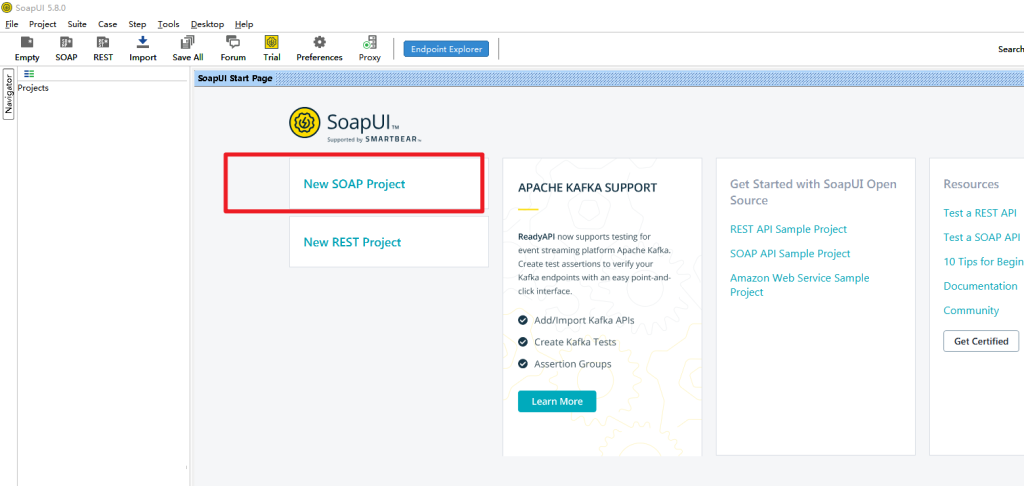
1、打开soapui,选择New SOAP Project
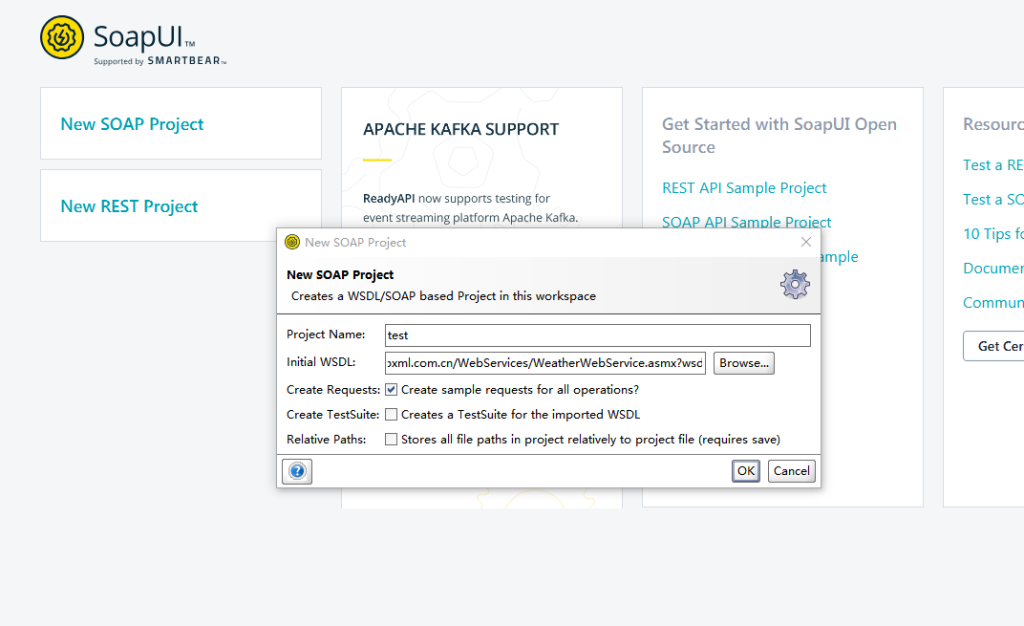
2、输入项目名和webservice服务地址,项目名随便输入即可,这里使用的wsdl示例地址是http://www.webxml.com.cn/WebServices/WeatherWebService.asmx?wsdl
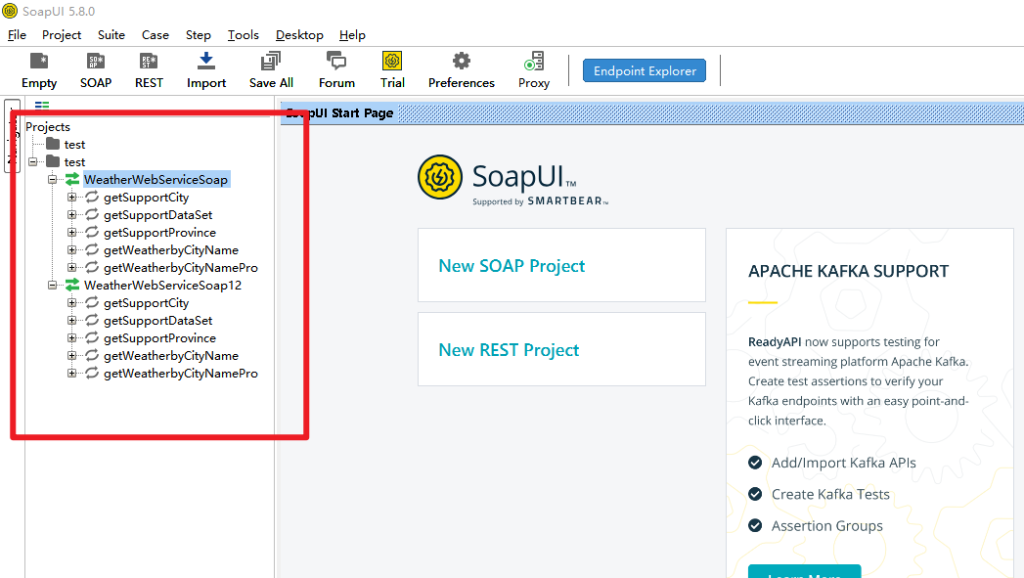
3、左侧projects就出现了服务以及相关方法
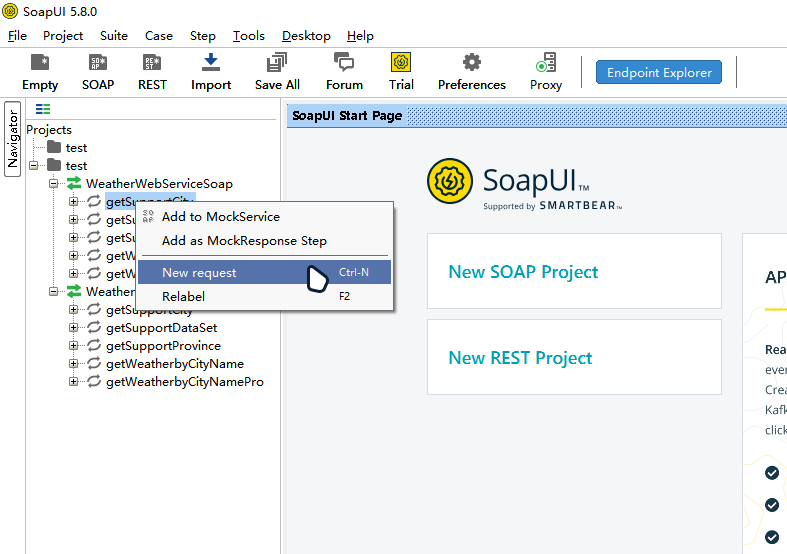
4、我们这里随机选了第一个方法右键New request,并给其设置名称为Request 2
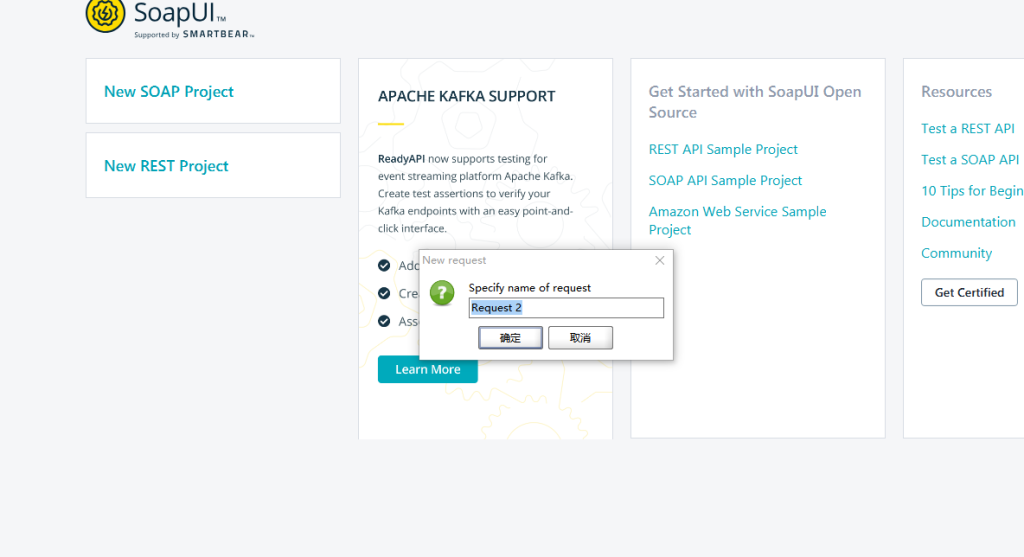
5、然后就可以使用了
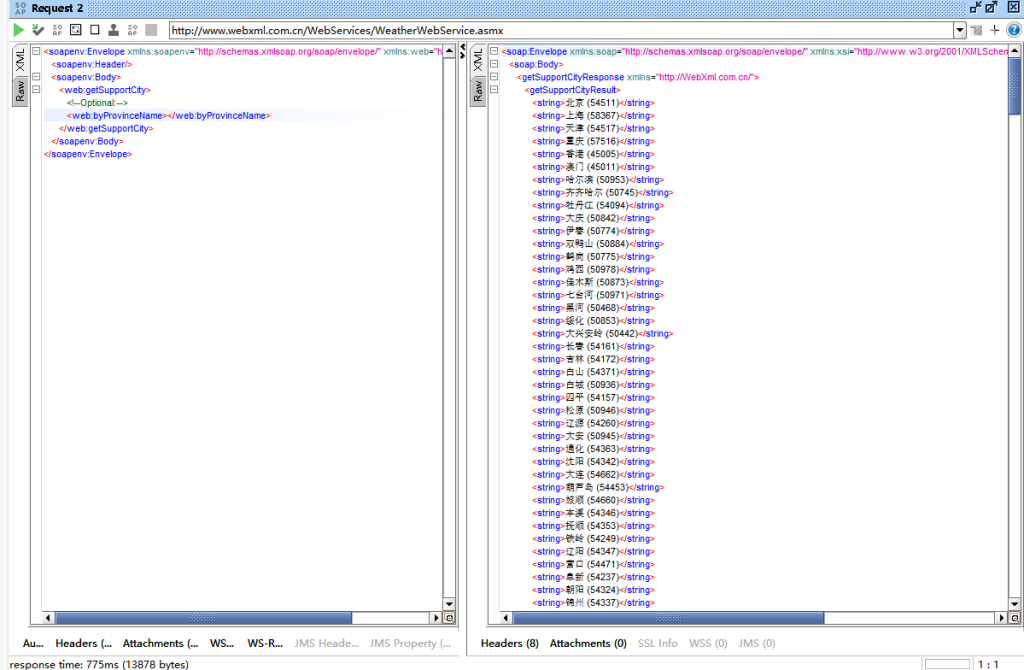
实际遇到案例
下面的代码是我对接到一个webservice接口所编写的,这里有个很大的坑,我请求头直接使用text/xml没有效果,反而用application/soap+xml则请求成功
String url = "http://x.x.x.x:80/soap/JHIPLIB.SOAP.BS.Service.cls?CfgItem=JH";
        Map<String, String> map = new HashMap<>();
        String innerXml = "<soapenv:Envelope xmlns:soapenv=\"http://schemas.xmlsoap.org/soap/envelope/\" xmlns:good=\"http://goodwillcis.com\" xmlns:bjg=\"http://bjgoodwillcis.com\">" +
                "<soapenv:Body>" +
                "<bjg:Send>" +
                "<bjg:pInput>" +
                "<![CDATA[<REQUEST><SESSION_ID>"+token+"</SESSION_ID><SYSTEM_CODE>xxx</SYSTEM_CODE></REQUEST>]]>" +
                "</bjg:pInput>" +
                "</bjg:Send>" +
                "</soapenv:Body>" +
                "</soapenv:Envelope>";

        try (CloseableHttpClient httpClient = HttpClients.createDefault()) {
            HttpPost httpPost = new HttpPost(url);
            httpPost.setHeader("Content-Type","application/soap+xml; charset=utf-8");
            httpPost.setEntity(new StringEntity(innerXml));

            String entity = "";
            try(CloseableHttpResponse response = httpClient.execute(httpPost)){
                entity = EntityUtils.toString(response.getEntity());
            }catch (Exception e){
                e.printStackTrace();
            }
} catch (Exception e) {
            e.printStackTrace();
            logger.error("登录异常,异常为:" + e);
        }
发表回复