市面上也有提供内网穿透服务,例如花生壳,但是带宽小,使用流量每个月有限制,还不能使用自己的域名服务。这里推荐使用frp,只需一台公网服务器即可使用穿透服务。
我这里使用的是一台linux和windows
服务端:linux
客户端:windows
服务端
1、github下载frp包,服务端使用的是linux,则下载tar
https://github.com/fatedier/frp/releases
选择对应的系统版本下载
wget https://github.com/fatedier/frp/releases/download/v0.65.0/frp_0.65.0_linux_amd64.tar.gz
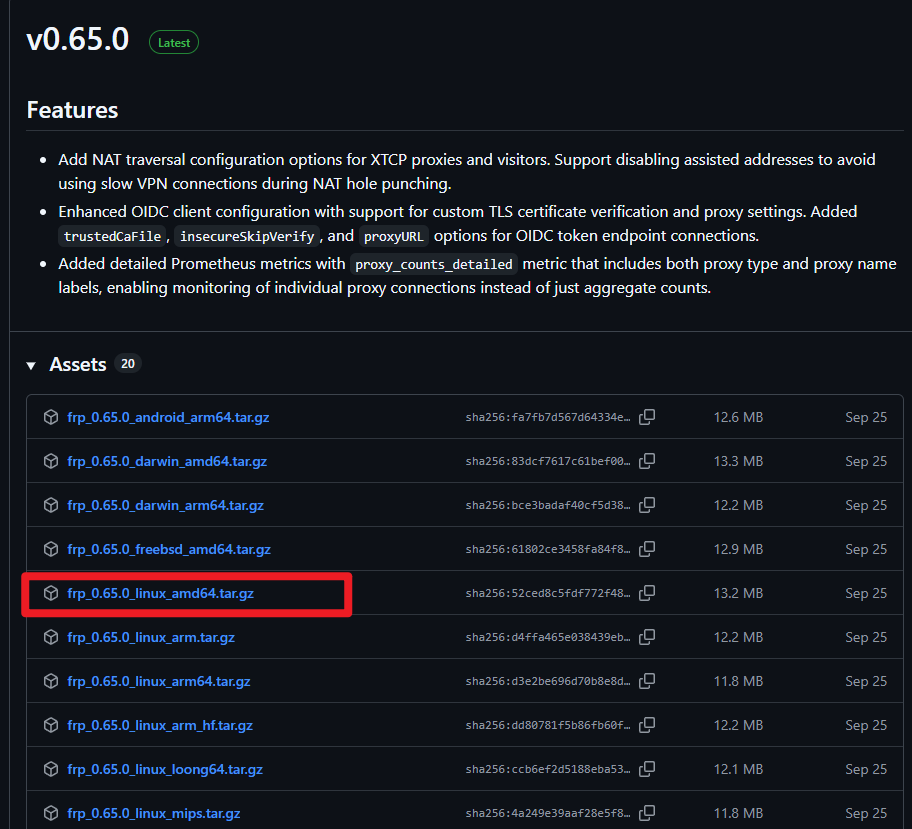
2、解压tar并进入目录
tar -zxvf frp_0.65.0_linux_amd64.tar.gz
cd frp_0.65.0_linux_amd64
3、赋予执行权限
chmod +x frps frpc4、配置文件frps.toml
# frps.toml - 服务端配置

# 基础配置
bindPort = 7000                    # frps 监听端口

# 安全配置
[auth]
method = "token"
token = "your_secure_token_here"   # 请修改为复杂密码

# 端口限制(可选,提升安全性)
allowPorts = [
  { start = 8000, end = 8010 },    # 允许 8000-8010 端口
  { single = 3306 },               # 允许 3306 端口
  { single = 22 }                  # 允许 22 端口
]

# Web 管理界面(可选)
[webServer]
addr = "0.0.0.0"
port = 7500
user = "admin"
password = "your_admin_password"

# 日志配置
[log]
to = "./frps.log"
level = "info"
maxDays = 7
5、后台启动frp
nohup ./frps -c frps.toml > frps.out 2>&1 &
客户端
1、github下载frp包,客户端使用的是windows,则下载zip
https://github.com/fatedier/frp/releases
选择对应的系统版本下载
https://github.com/fatedier/frp/releases/download/v0.65.0/frp_0.65.0_windows_amd64.zip
2、解压zip并配置文件frpc.toml
以下例子是想将当前windows中的6688和8008端口穿透出去
serverAddr = "xxx" #服务端的IP地址
serverPort = 7887
auth.token = "xxx"  #服务端设置的token


[[proxies]]
name = "test-tcp"  #自定义连接名称
type = "tcp"  #连接方式
localIP = "127.0.0.1"  #需要穿透出去的地址
localPort = 6688  #需要穿透出去的端口
remotePort = 7999  #远程服务端的连接端口


[[proxies]]
name = "ai-tcp"
type = "tcp"
localIP = "127.0.0.1"
localPort = 8008
remotePort = 8008
2、启动使用
打开cmd,在解压的zip目录下执行
frpc.exe -c frpc.toml出现start proxy success说明连接成功
